
Resolution Calculator
Many customers focus heavily on screen size, but ignore one critical factor:
screen resolution.
In LED display projects, image sharpness depends not only on pixel pitch, but also on total pixel resolution.
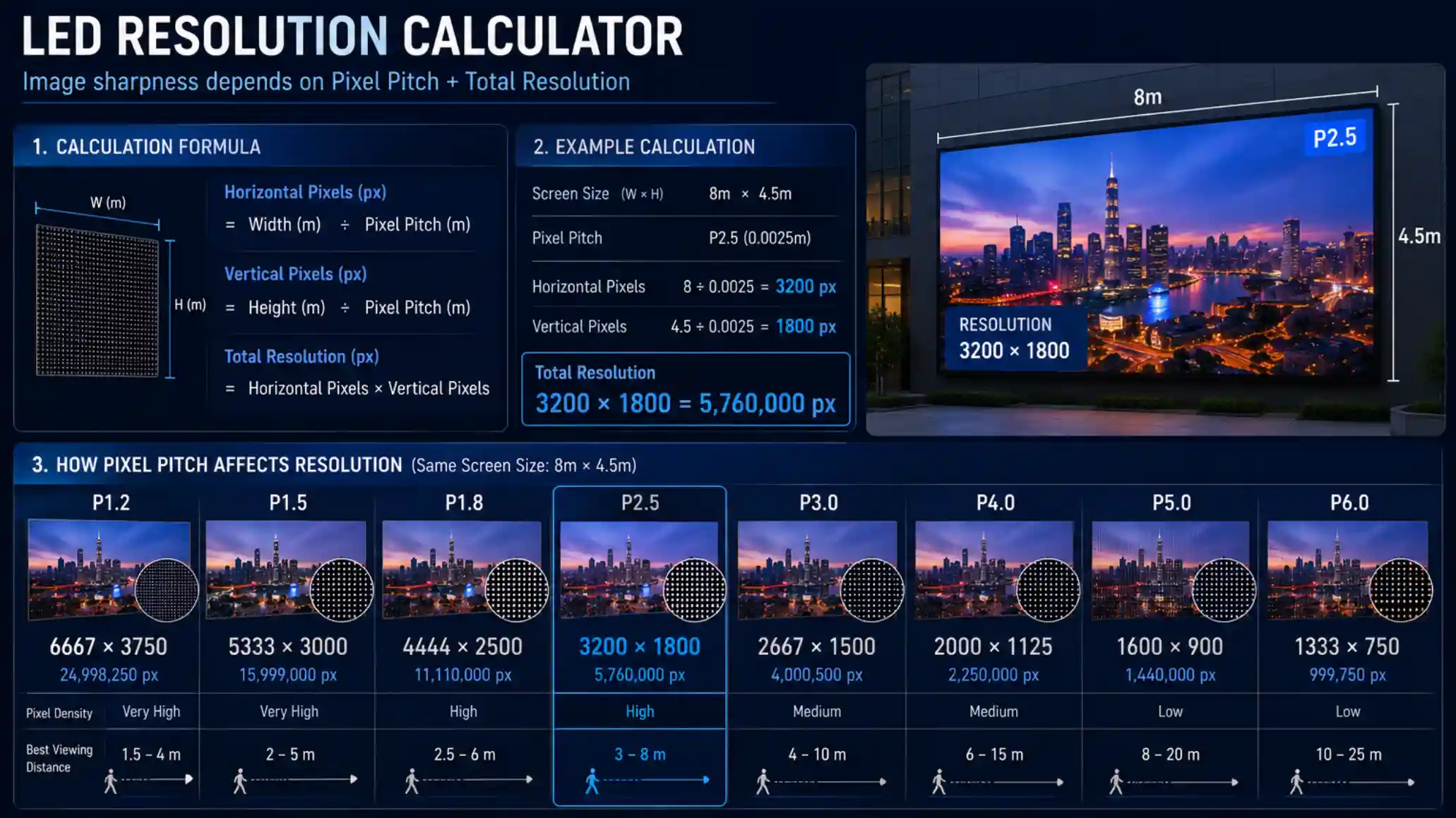
How LED Resolution Is Calculated
The calculation is relatively simple.
Formula:
Screen Width ÷ Pixel Pitch = Horizontal Pixels
Screen Height ÷ Pixel Pitch = Vertical Pixels
Example:
A 6m × 3m P2.5 LED screen:
6000mm ÷ 2.5 = 2400 pixels
3000mm ÷ 2.5 = 1200 pixels
Final resolution:
2400 × 1200
Why Resolution Matters in Real Projects
Higher resolution becomes especially important for:
- fine text
- spreadsheets
- data dashboards
- luxury product videos
- XR filming
- broadcast applications
For large outdoor billboards viewed from far away, extremely high resolution is often unnecessary.
But for close-viewing conference rooms or control centers, insufficient resolution can reduce readability significantly.
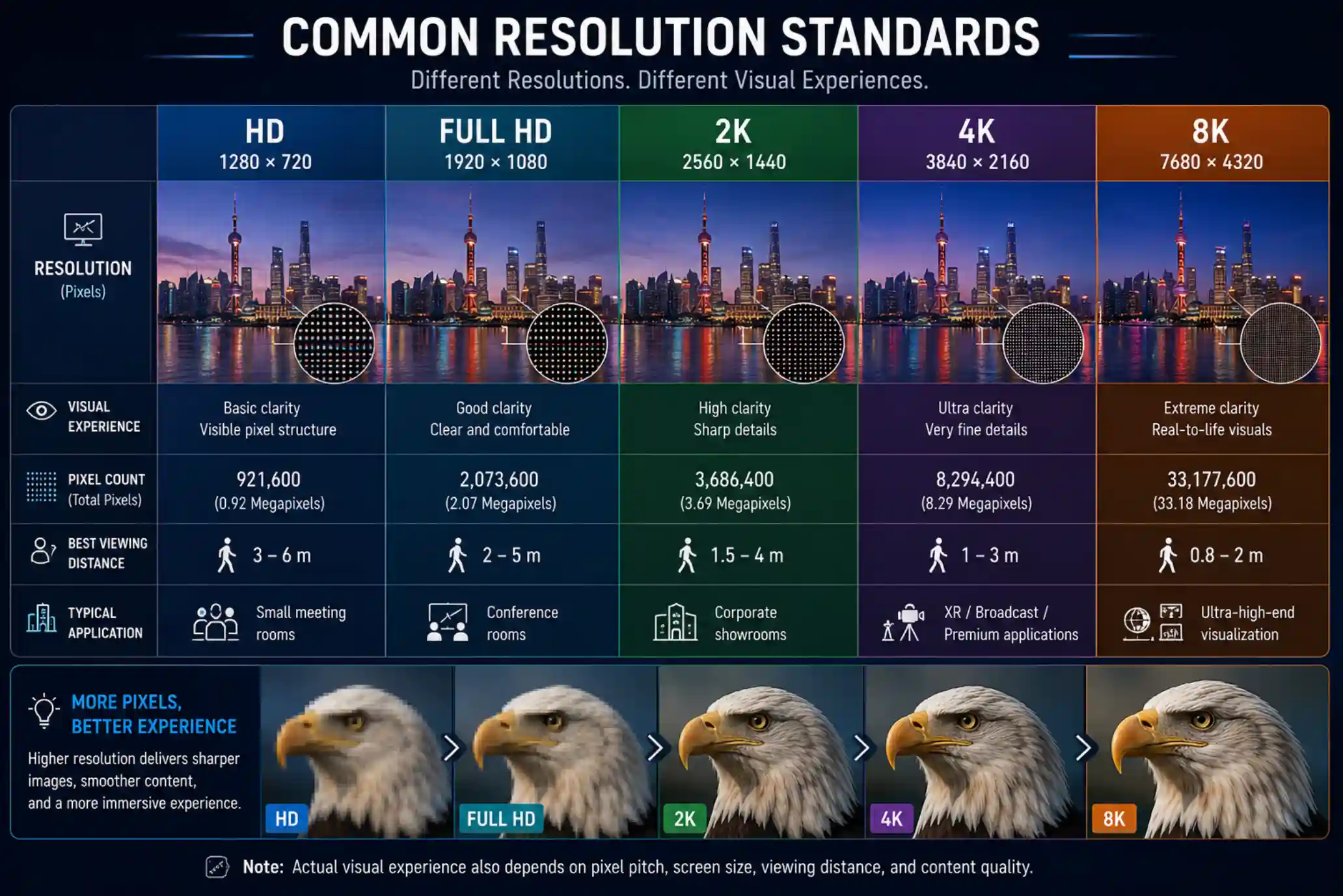
Common Resolution Standards
Resolution | Typical Application |
HD | Small meeting rooms |
Full HD | Conference rooms |
2K | Corporate showrooms |
4K | XR / Broadcast / Premium applications |
8K | Ultra-high-end visualization |
Why Some LED Screens Look Blurry
In many projects, blurry image quality is not caused by the LED itself.
The actual reason is often:
- insufficient total resolution
- oversized pixel pitch
- incorrect screen proportion
- low-quality source content
This is especially common in:
- conference rooms
- retail stores
- command centers
DDW Engineer Notes
Many customers request 4K LED displays without considering actual viewing distance.
In some medium-sized conference rooms, Full HD may already provide excellent visual performance.
The real goal is not chasing the highest resolution.
It is achieving the most balanced visual experience.