
Why Some LED Screens Still Flicker on Camera
One of the most common questions in rental, XR, and broadcast projects is:
“Why does the screen still flicker even though the specification says 3840Hz?”
In reality, refresh rate is far more complicated than a single number shown on a quotation sheet.
Real camera performance is also affected by:
- Driver IC quality
- Scan mode
- Low grayscale processing
- Camera shutter speed
- Signal synchronization
- Processor configuration
This is why two LED screens with the same advertised refresh rate may perform completely differently during filming.
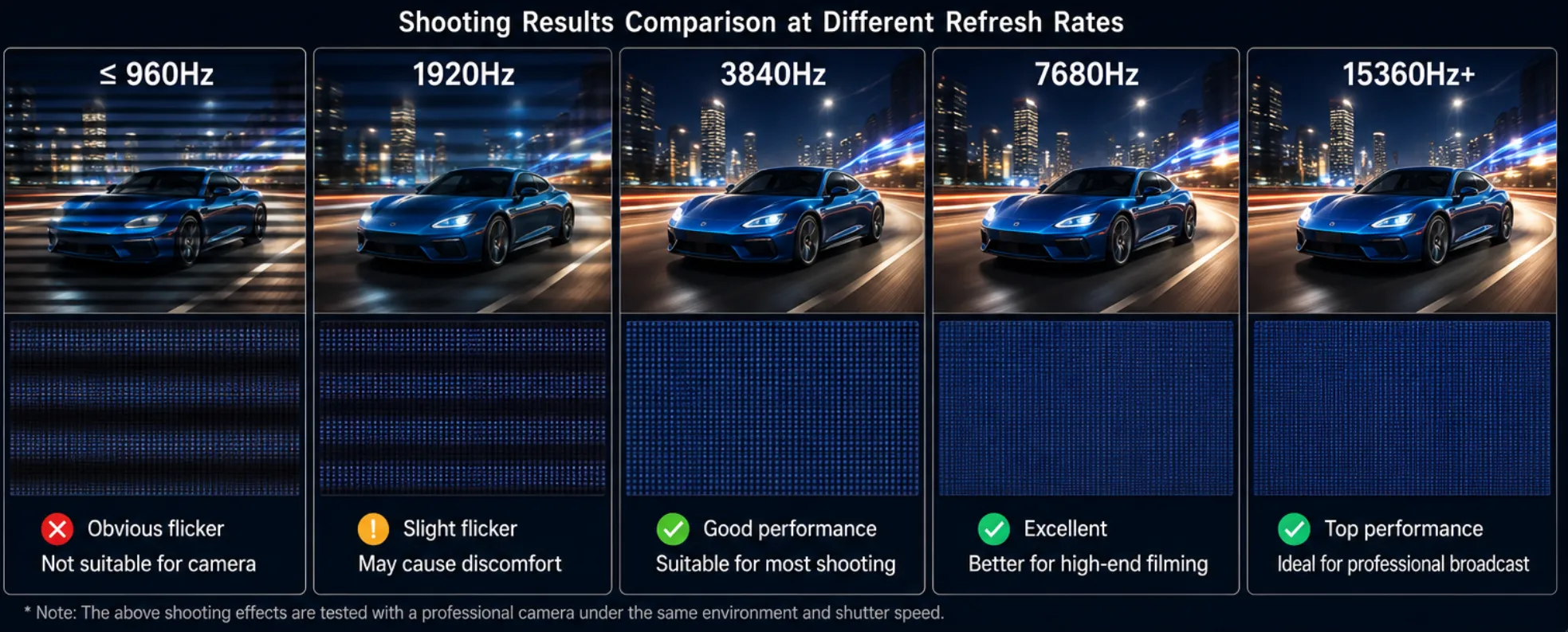
What Refresh Rate Actually Means
Refresh rate refers to how many times per second the display updates the image.
Measured in:
Hz
Examples:
- 1920Hz
- 3840Hz
- 7680Hz
Why Rental, XR, and Broadcast Projects Care About Refresh Rate
Smoother Visuals
High refresh rates reduce motion blur.
Better Camera Shooting
Essential for:
- Broadcast television
- XR virtual stages
- Film production
- Live streaming events
- E-sports arenas
- High-speed camera shooting
Reduced Flicker
Improves visual comfort.
Recommended Refresh Rates
Application | Recommended Refresh Rate |
Conference Room | 1920Hz+ |
Rental Events | 3840Hz+ |
XR Studio | 7680Hz |
Broadcast | 7680Hz |
Refresh Rate vs Frame Rate
Refresh rate:
Display hardware performance.
Frame rate:
Video content playback speed.
Both influence image quality.
DDW Engineer Notes
For normal conference room projects, 1920Hz is usually already acceptable.
However, in XR virtual production environments, especially when using high-speed cinema cameras, many studios now prefer:
- 7680Hz refresh rate
- low grayscale optimization
- high-end driver IC solutions
Otherwise, scan lines and brightness instability may still appear on camera.
This is one of the biggest differences between normal rental LED projects and true virtual production systems.